Partition Recovery with Autopsy + FTK Imager (Deleted Partition Analysis)

Partition Recovery with Autopsy + FTK Imager
This lab focused on recovering a deleted partition from an E01 forensic image and validating everything properly.
Instead of just carving files, the goal was to:
- Analyze the image in Autopsy
- Identify relevant artifacts
- Tag and extract evidence
- Generate a structured report
- Recover a deleted partition using FTK Imager
- Verify integrity with hash validation
Here’s how it actually went.
Autopsy Analysis
I started by spinning up Autopsy and creating a new case for the image:
08-1_Partition_Recovery.E01
Clean case setup inside my Work directory, running only the ingest modules I actually needed.
Instead of running everything, I manually selected:
- File Type Identification
- Extension Mismatch Detector
- Picture Analyzer
- Keyword Search
- PhotoRec Carver
I prefer controlling ingest instead of letting everything run wild. Keeps it focused.
Keyword Investigation
After ingest completed, I ran an exact match keyword search for:
Surveil-westparkinglot08
That hit results immediately.
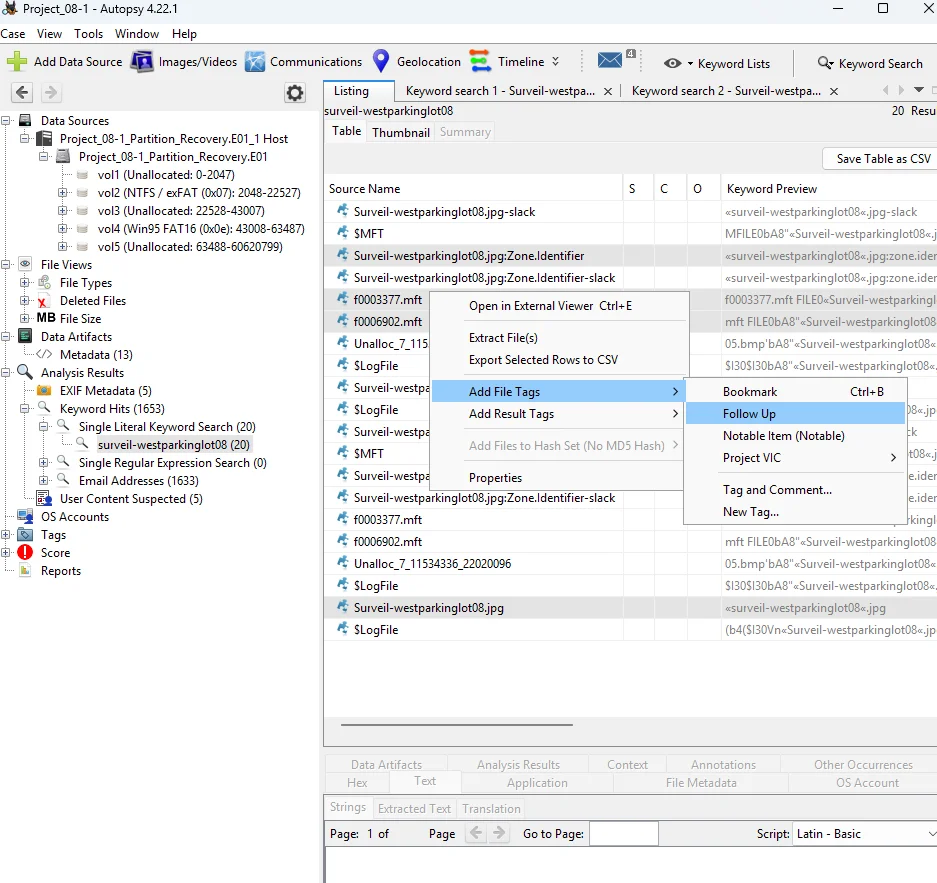
Inside Keyword Hits > Single Literal Keyword, I found:
Surveil-westparkinglot08.jpg
When I expanded the results, I identified four relevant artifacts:
- Surveil-westparkinglot08.jpg
- Surveil-westparkinglot08.jpg:Zone.Identifier
- f0003377.mft
- f0006902.mft
The .Zone.Identifier alternate data stream stood out because it can indicate download origin or zone information.
The .mft fragments are important as well because they tie back to NTFS metadata.
Screenshot - Keyword Hits
Tagging and Extraction
I tagged all four files as Follow Up.
Then I:
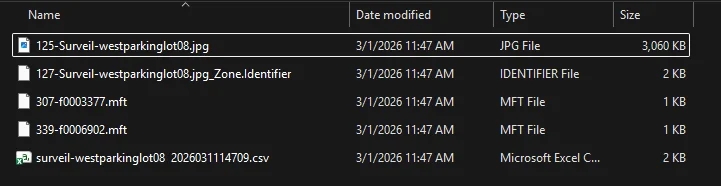
- Exported selected rows to CSV
- Extracted the files for further analysis
After that, I generated an Excel report directly from Autopsy, including all results and tagged artifacts.
I verified that the Tagged Files sheet listed all four artifacts correctly before saving:
08-1_Analysis_Report.xlsx
Clean workflow. Everything documented.
Recovering the Deleted Partition (FTK Imager)
Next, I loaded:
08-2_Partition_Recovery.E01
Inside the Evidence Tree, I expanded the image and saw:
- Partition 1
- Partition 2
- [Recovered] Partition 1 [10MB]
- Unpartitioned Space
Screenshot - Recovered Partition
Exporting the Recovered Partition
I selected:
[Recovered] Partition 1 [10MB]
Then exported it as a Raw (dd) image.
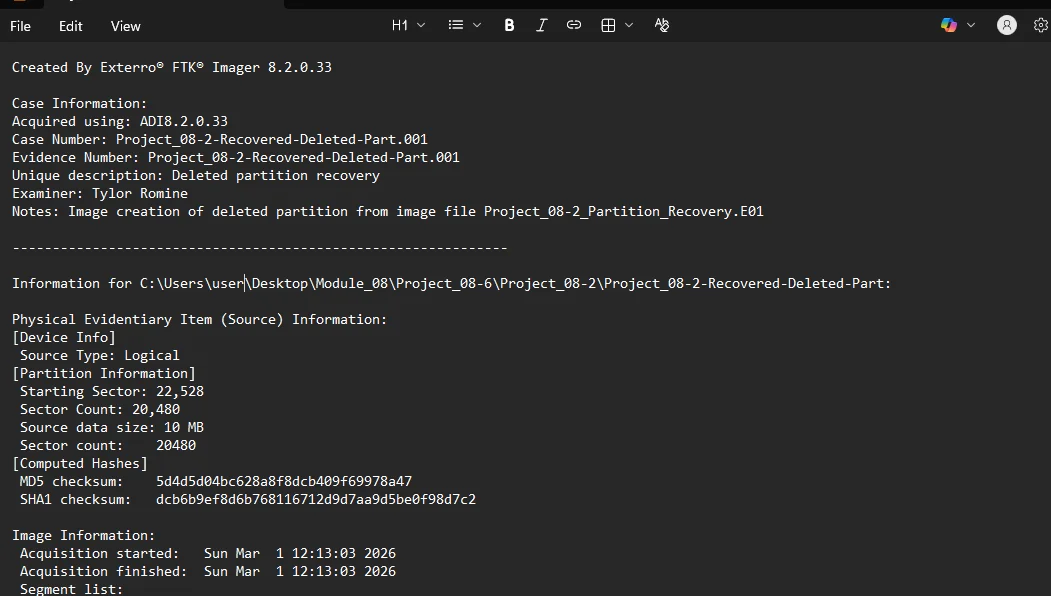
Case Information entered:
- Case Number: 08-2-Recovered-Deleted-Part.001
- Evidence Number: 08-2-Recovered-Deleted-Part.001
- Unique Description: Deleted partition recovery
- Examiner: Tylor Romine
- Notes: Image creation of deleted partition from image file 08-2_Partition_Recovery.E01
Hash Verification
After image creation, I enabled verification.
Both hashes matched.
MD5
5d4d5d04bc628a8f8dcb409f69978a47
SHA1
dcb6b9ef8d6b768116712d9d7aa9d5be0f98d7c2
Verification result: Match
Screenshot - Verification Results
Why This Matters
Recovering deleted partitions isn’t about “undeleting a file.”
It’s about:
- Rebuilding structure
- Validating integrity
- Preserving evidence state
- Documenting every step
Autopsy provided artifact-level visibility tied to the keyword investigation.
FTK Imager provided full partition-level recovery with hash validation.
Final Output
Generated Files:
- 08-1_Analysis_Report.xlsx
- 08-2-Recovered-Deleted-Part.001
- 08-2-Recovered-Deleted-Part.001.txt
If it’s not broken, fix it til it is.